Call + backup contact
Make the right contact easy to reach. Clear Call buttons open the phone’s calling screen, with backup contacts when needed.
Made in Canada
Make a parent or trusted adult easy to reach when a child needs help. Choose the details you want a finder to see.

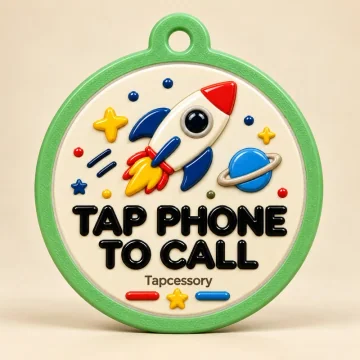 Rocket50 mm
If I need a hand, please call my chosen contact.
Sample only. No call or message is sent.
A compatible phone opens the contact page. Internet is needed.
It makes the request for help obvious when the tag is opened. A finder can call or send a private update.
Tapcessory is a contact tag. It does not track movement or provide live GPS. A finder can choose to share a one-time location.
Sample only. No call or message is sent.
How it works
A compatible phone opens the contact page. Internet is needed.
If a child becomes separated from their family on an outing, a finder can reach a parent or trusted adult. You choose which details to share.
1Tap the tag
2Reach the right person
3Send an update
Tapcessory is a contact tag. It does not track movement or provide live GPS. A finder can choose to share a one-time location.
Every tag includes
Update your details from your private dashboard. Keep the same tag.
A clear Call button connects the finder to your chosen contact.
Send a private update to their contact.
Update your details from your private dashboard. Keep the same tag.
Every tag includes
Included with every tag. Useful today, easy to keep up to date.
Make the right contact easy to reach. Clear Call buttons open the phone’s calling screen, with backup contacts when needed.
Turn Lost Mode on in your dashboard. A clear missing-status message and red actions tell a finder how to help.
A finder can send a private message, describe where they are and choose to share a one-time location. No finder account is needed.
Add a photo, communication preferences and useful instructions. Choose whether your photo and contact numbers are public.
Change contacts, instructions or Lost Mode without replacing your tag. Clear Unsaved, Saving and Saved messages show when changes are ready.
12 languages, clear symbols, large mobile text and light/dark mode make the finder page easier to use. Your own written details stay in the language you enter.
Owners can review reports and reply privately. A finder can check their saved receipt for a reply or a return update.
Connect additional tags you own to one shared profile. Update it once; pause an individual connected tag when needed.
Make a poster with a QR code that opens this tag’s contact page. Print it or save it to share if someone or something is missing. You choose which photo and details to include.
Choose email alerts for finder reports or tag-page openings, and confirm a new alert address before using it.
Choose a country code instead of typing it, review your numbers and record that you checked your contacts. Keep them current as routines change.
Transfer an eligible tag through an email-confirmed handover. Old private details and access are cleared when the new owner accepts.
Both sizes include the same contact features.
Shop tagsBrowse all sizes and designs